
Updated on: February two, 2022

Brusk on time? Here's the best free Windows antivirus for 2022:
- 🥇 Avira: Fantabulous free antivirus protection that includes real-fourth dimension malware scanning, a safe shopping extension, a privacy + operation optimizer, and a costless VPN.
- Download Avira Complimentary Security for Windows hither.
I tested every costless antivirus I could find against thousands of old and new Windows malware files. Running virtual environments for diverse PC operating systems from Windows seven – Windows 10, I not only looked at each antivirus's malware protection capabilities, but also its user interface and its reputation for safeguarding user privacy. This wasn't an easy job, and I learned that there are simply a few gratuitous antiviruses out there that offer decent protection for Windows computers.
But in that location are also some really good gratuitous antivirus programs that offer improvements over Windows'southward built-in protections. I was ultimately able to detect 6 free downloads that each offer free virus protection alongside a decent set of free cyberspace security tools.
That said, every gratuitous antivirus is going to include a few frustrating limitations. That's why I always recommend investing a little scrap every month into premium antivirus software that includes protection confronting all types of malware — with extra features like a VPN, password manager, parental controls, and dark web monitoring (Norton 360 has all of these features, is ranked as the best antivirus software for 2022, and is very affordable).
I tested and ranked each costless antivirus listed here for malware detection, ease of employ, and additional cybersecurity features. Unfortunately, no complimentary antivirus includes all of the features you need for complete protection, just it's improve to protect yourself with the best free antivirus than no antivirus at all!
Quick summary of the best complimentary Windows antiviruses for 2022:
- 1.🥇 Avira — Best overall complimentary antivirus for Windows in 2022.
- 2.🥈 Panda — Strong virus protection with good additional features (like a gaming manner).
- 3.🥉 TotalAV — Simple gratuitous antivirus with an intuitive interface (recommended for beginners).
- 4. Kaspersky — Gratis extras like a VPN, dark web monitoring, and a password manager.
- 5. Malwarebytes — Minimalistic antivirus with on-demand scanning.
- vi. Sophos — Adept real-fourth dimension scanning with remote access for 3 PCs.
- Bonus. Norton — Best Windows antivirus on the market place (with a lx-day coin-back guarantee).
- Comparison of the Best Free Antiviruses for Windows in 2022.
- Yes, Yous Already Have a Free Antivirus on Your PC, But Information technology Isn't Good Enough.
- Free Antivirus vs. Paid Antivirus.
- How to Choose the Best Costless Windows Antivirus for Your Needs.
- Top Brands That Didn't Brand the Cut.
- Frequently Asked Questions about Free Antiviruses for Windows.
UPDATE (2022): One of the acme antivirus providers, Norton, recently removed its complimentary package, merely I've kept it on this list as a paid alternative because it really is one of the best net security providers out there. If you don't want to deal with the hassles of a free antivirus, a low-cost premium antivirus like Norton 360 is always a proficient choice. (Read the full Norton 360 review here.)
🥇i. Avira Gratis Security for Windows — All-time Free Antivirus in 2022
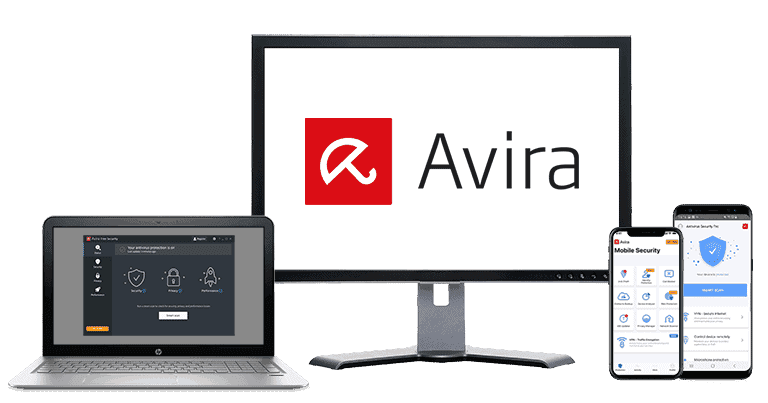
Avira Free Security for Windows is my favorite gratuitous Windows antivirus in 2022 — it has one of the best anti-malware engines on the marketplace, includes more free features than any other competitor, and is really easy to use.
Avira's virus scanner operates in the cloud — and then its detection and analysis don't actually take place on your PC — making Avira extremely fast, lightweight, and depression on system resource. During my testing, Avira'due south anti-malware engine detected all of the malware files I previously downloaded to my computer, and I was able to run CPU-intensive programs during scans with nigh nada slowdown.
Avira's free antivirus too comes with some excellent extra features, such every bit:
- Condom Shopping browser extension.
- Privacy & performance optimizer.
- VPN (500 MB monthly limit).
- Password manager.
- Game booster.
- Firewall.
- File shredder.
- And more…
The Safe Shopping browser extension for Firefox and Chrome is actually good — information technology blocks suspicious phishing sites, web trackers, and unwanted advertisements. The extension also automatically recommends links to better deals when shopping online. I was actually able to find a lot of good deals, but it didn't work 100% of the fourth dimension (notwithstanding pretty adept though!).
I'm as well a big fan of Avira's privacy and performance optimization tools — they cleaned out my cookies and junk files, and besides fixed hidden privacy settings that were leaking personal data on the web.
That said, I think the VPN that comes with Avira'southward costless antivirus is non that proficient. It's limited to simply 500 MB per month, which is barely enough to lookout a couple of really short videos, and it only lets you connect to 1 server location.
If you desire a fast and reliable VPN with unlimited data, multi-device back up, and advanced system optimization tools, yous should consider upgrading to Avira Prime , which costs SGD80.96 / twelvemonth — information technology's a chip pricier than some competitors, but it's one of the best antivirus suites of 2022.
Bottom Line:
Avira'south cloud-based, gratis virus scanning engine is i of the best on the market place — information technology's lightweight, fast, has perfect detection rates, and is 100% complimentary. I'm also a large fan of Avira'southward Rubber Shopping browser extension and privacy optimizer, both of which offering significant improvement over Microsoft'due south born protections. To get more than advanced internet security protection, you'll need to upgrade to one of Avira'south paid plans, which start at SGD62.06 / year — simply in terms of gratuitous Windows antiviruses, it doesn't get better than Avira.
Download Avira Complimentary At present
Read the full Avira review here >
🥈2. Panda Free Antivirus for Windows — Good Virus Protection with Decent Extras
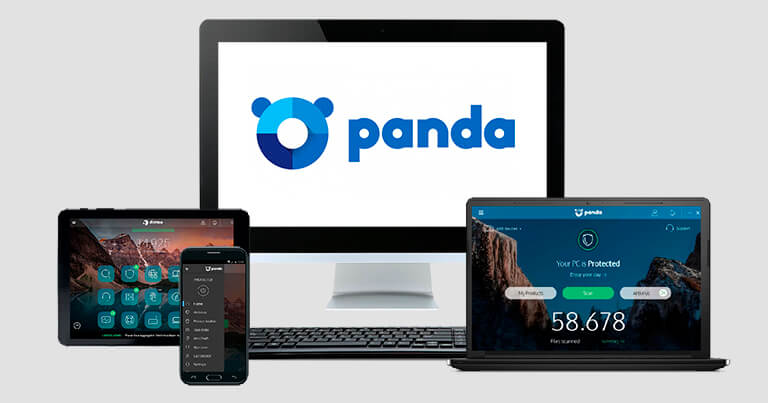
Panda Costless Antivirus for Windows is lightweight, secure, and easy to use — during my tests, Panda's antivirus scanner detected significantly more adware, spyware, and ransomware files than Windows Defender. Panda'due south real-time protection also performed really well, blocking most of the malware files I tried downloading to my PC.
I also like that Panda has a gaming mode in its gratuitous antivirus — whenever yous're playing a game or watching a video in full screen, Panda automatically suspends notifications.
Another thing that makes Panda a skilful option for Windows users is the Rescue Kit feature, which allows you to download a bootable version of Panda to a USB drive and so use the USB bulldoze to make clean an infected PC and get it upward and running again.
Panda's free antivirus also comes with a secure VPN. It provides fast connection speeds, but it just lets you connect to 1 server and has a data limit of 150 MB per day — this is a big improvement over Avira's 500 MB per month, but it's still not nearly enough data for streaming or file sharing. If y'all're interested in unlimited streaming or torrenting, you'll demand a ameliorate VPN (check out our list of the all-time antiviruses with VPNs hither).
Y'all can only get unlimited VPN data (and access to select diverse worldwide servers) on the Panda Dome Premium program, which also offers actress features like a firewall, anti-ransomware protection, anti-phishing protection, advanced system tune-upwardly tools, a password manager, and parental controls, for SGD90.40 / year. All of Panda's premium plans come up with a 30-twenty-four hours money-back guarantee.
Lesser Line:
Panda'southward free antivirus is a good, easy-to-use antivirus, offering 100% complimentary real-time malware protection. With lightweight malware scanning, an automated gaming manner, a Rescue Kit, and a VPN, Panda is an excellent free internet security product. However, the VPN is express to 150 MB per mean solar day on a single server. If you lot want unlimited VPN admission — and other extras like a firewall, anti-phishing, password manager, and parental controls — you'll need to upgrade. Panda offers 4 different pricing tiers for paid users, which get-go at SGD38.45 / yr, and so it's easy to detect the right plan for yous — or you lot tin can merely give Panda Costless a endeavor and upgrade later.
Download Panda Gratis At present
Read the full Panda review here >
🥉iii. TotalAV Gratis Antivirus — Most Intuitive Complimentary Antivirus
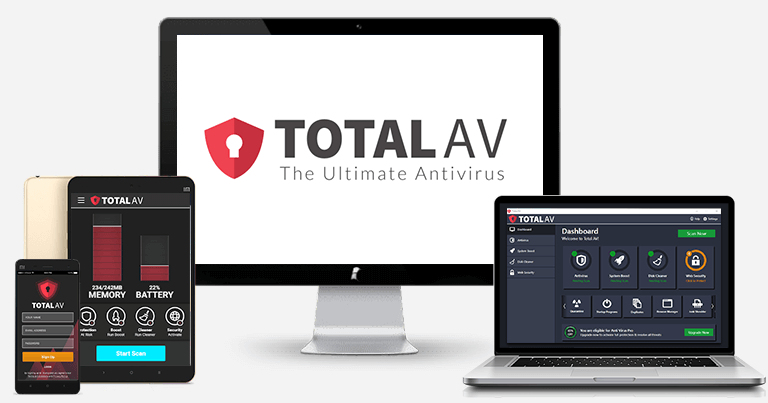
TotalAV Costless Antivirus provides fantabulous virus and phishing protection — during my tests, TotalAV'southward cloud-based malware scanner detected and removed more than malware samples than most antivirus programs, successfully identifying even very catchy ransomware and cryptojacking files.
TotalAV'south phishing protection is also very good. It uses a huge blacklist to identify known phishing sites likewise as an AI-powered phishing detection organization to detect new threats. In my testing, the anti-phishing tool scored a near-perfect detection charge per unit, stopping me from entering more than malicious sites than Chrome's native phishing tool.
TotalAV is too the most intuitive free Windows antivirus on this list, with easy-to-use and like shooting fish in a barrel-to-sympathize features and functions within a minimalistic, well-designed dashboard. I had no problems navigating TotalAV's dashboard, and I found information technology very elementary to access and use all of the provided tools.
That said, unlike Avira, TotalAV's free plan for Windows doesn't come with a lot of protections. The biggest drawback of TotalAV Complimentary Antivirus is that it doesn't take real-fourth dimension protection, significant you won't go notified in example a malicious file attempts to make changes to your PC in real fourth dimension.
Upgrading to i of TotalAV's premium plans brings you existent-time malware protection equally well every bit useful extras like device optimization tools, a VPN with unlimited data, a password manager, and more. TotalAV'south paid plans commencement at SGD25.64 / year, and they're all backed past a adventure-complimentary coin-back guarantee for 30 days.
Bottom Line:
TotalAV's gratis Windows antivirus is excellent at removing malware and blocking phishing sites. It'south also one of the well-nigh intuitive antivirus programs on the market, which makes it an ideal choice for beginners. However, TotalAV Free doesn't come up with existent-fourth dimension protection and it doesn't include whatever actress features. To get real-time scanning, PC optimization tools, and a VPN with no limitations, you'll need to upgrade to one of TotalAV's low-cost premium plans, which start at SGD25.64 / year.
Download TotalAV Free Now
Read the total TotalAV review here >
iv. Kaspersky Security Cloud (Free) — Good Range of Free Features
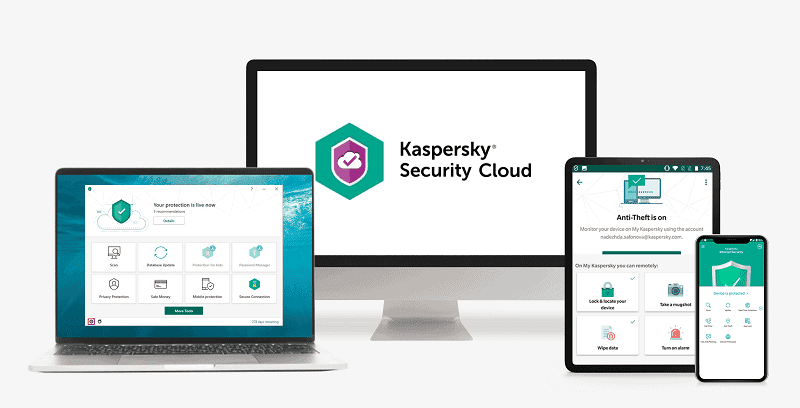
Kaspersky Security Cloud — Gratuitous is skillful at detecting and removing malware, and information technology also comes with plenty of extras — including:
- VPN (200 MB daily limit).
- Password managing director (fifteen entries limit).
- Data breach monitoring (only 1 account).
- Bones system cleanup tools.
- File shredder.
- Virtual keyboard.
Kaspersky's free antivirus provides expert real-time malware protection, but its additional features are very express.
Kaspersky's VPN provides admission to i server location and 200 MB per mean solar day — more daily information than Panda or Avira — just still non plenty for streaming or other data-heavy tasks.
And Kaspersky'south free password manager but saves a full of 15 entries — this includes both logins and sensitive documents (like credit cards or passport details). I tin't say I'm too impressed with Kaspersky'south information alienation monitoring either — gratuitous users can only cheque the email associated with their Kaspersky business relationship (and they have to do it manually, unlike paid customers who get automatic data alienation checks).
If yous like Kaspersky'southward interface and you want access to its unlimited VPN, password manager, parental controls, and spider web protections, so you lot'll have to upgrade to one of Kaspersky's paid plans, which start at SGD40.47 / twelvemonth. All Kaspersky purchases include a 30-mean solar day coin-dorsum guarantee.
Bottom Line:
Kaspersky's free antivirus comes with a practiced malware scanner and a ton of additional features, just almost of them are very limited in functionality. Kaspersky's VPN has a daily cap of 200 MB, the password managing director lets you store up to 15 logins and credit cards, and the data breach monitoring just checks 1 email accost. Upgrading to ane of Kaspersky'due south paid plans gets yous all of these features without any limitations, plus extras like parental controls, advanced spider web protections, and more.
Download Kaspersky Gratis Now
Read the total Kaspersky review here >
5. Malwarebytes Gratis — Minimalistic Virus Scanner
Malwarebytes Free is a good choice for users looking for a simple antivirus scanner that they can install and forget about. Malwarebytes's virus scanner uses a virus database as well equally heuristics to grab all types of malware — and it performed pretty well in my tests, detecting effectually ninety% of the malware files I hid on my PC. All the same, information technology did miss a few well-hidden files that competitors like Avira and TotalAV detected.
Apart from the scanner, Malwarebytes Free likewise comes with a browser extension that protects against a broad range of threats, including malware, ads and trackers, scams, and PUPs. One of the things I like the most about this extension is that all of the protections are turned on by default, so there'southward nil for you to do (only you can easily plow off one or all of the protections).
In my tests, Malwarebytes's browser extension blocked the majority of risky sites I attempted to visit, scoring a ninety% phishing detection charge per unit. Still, the extension wasn't as accurate at blocking ads — I visited dozens of sites filled with ads, and Malwarebytes blocked only around a 3rd of the ads.
Malwarebytes'due south free plan is a simple virus scanner with a good phishing tool, only information technology unfortunately doesn't take existent-fourth dimension malware protection. To become real-time scanning, you lot'll need to upgrade to Malwarebytes Premium, which provides coverage for up to 5 devices and starts at SGD53.97 / twelvemonth. Malwarebytes Premium + Privacy also adds a skillful VPN for SGD134.94 / year. Both of Malwarebytes's premium plans are covered past a generous threescore-day coin-back guarantee.
Bottom Line:
Malwarebytes Gratis is a minimalistic antivirus scanner with good virus detection and removal rates. It also comes with a browser extension that blocks malware, phishing sites, ads, and trackers. Upgrading to Malwarebytes Premium brings you real-fourth dimension protection and coverage for up to 5 devices, whereas Malwarebytes Premium + Privacy besides adds a VPN.
Download Malwarebytes For Complimentary At present
Read the full Malwarebytes review >
6. Sophos Dwelling Free — Easy Remote Management
Sophos Abode Costless offers pretty adept free anti-malware protection. It also includes some helpful web protections and covers up to iii PCs (all within its gratis antivirus parcel).
In my antivirus testing, Sophos was able to detect a decent corporeality of virus and malware threats, but information technology missed all of my exam ransomware files — that'south because Sophos'south complimentary version doesn't include ransomware protection, which I think is a pretty big problem. And while Sophos likewise offers basic anti-phishing protections (they're better than Chrome's built-in protections) they're not nearly equally as practiced as Avira's free anti-phishing tools.
One thing I really like about Sophos is its remote management feature — you can log into Sophos'south online dashboard and access antivirus scanning and real-time protection updates on upward to iii devices.
In addition to multi-device protection and remote management, Sophos is also a decent selection for families because it has free parental controls. However, Sophos'due south parental controls are pretty basic — you can just choose which categories of sites to block. If y'all're looking for advanced parental controls like app scheduling and location tracking, you should consider a premium antivirus like Norton 360 Palatial.
Sophos Abode Gratis is pretty skillful, and Sophos Home Premium adds advanced malware and ransomware scanning, additional web protections, and coverage for up to 10 devices, for SGD60.71 / year — and it has a 30-day money-back guarantee.
Bottom Line:
Sophos offers pretty skillful antivirus scanning and remote direction for up to 3 devices — which is pretty generous for a free antivirus. Sophos'south complimentary version also has basic parental controls (only content filtering) and anti-phishing protection.Users looking for coverage on up to 10 devices, advanced malware and ransomware protection, and advanced web safe tools should upgrade to Sophos Domicile Premium.
Download Sophos Free Now
Read the total Sophos review hither >
Bonus. Norton — All-time Overall Windows Antivirus in 2022
Norton is past far the best Windows antivirus in 2022 — and while it doesn't currently have a gratis programme, it offers a risk-free sixty-24-hour interval money-back guarantee, which gives you lot 2 months to try it out and see if it's right for you lot.
In addition to providing perfect malware detection against all known and emerging cyber threats, Norton also has excellent phishing protection, a smart firewall with tons of customization options, and online banking and shopping protection.
It also comes with a wide range of quality extras, including:
- VPN (unlimited data) — maintains fast speeds, works with streaming sites like Netflix, and has extras like Tor support and split-tunneling.
- Password director — generates, saves, and auto-fills logins, audits password security, and has an automatic password changer (only meridian standalone brands like Dashlane offering this functionality).
- Parental controls — filters inappropriate content, limits device usage, and monitors YouTube and Hulu usage (Norton ranks #1 on our list of the best antiviruses with parental controls).
- Organisation optimization tools — removes unwanted files from Windows and web browsers, improves boot time, and defragments hard bulldoze.
- Dark web monitoring — scans dark web forums, data breach databases, and credit reports in real-time.
- And much more…
Norton is as well very easy to employ across all operating systems, offers coverage for upwardly to 5 devices, and doesn't crusade any organisation slowdown — it even has a gaming way, so yous can uninterruptedly play games while information technology runs in the background.
There are several plans to cull from, but Norton 360 Deluxe offers the best value — plus, with our special 61% disbelieve, you can get it for only SGD53.97 / twelvemonth. US users tin can also check out Norton'southward LifeLock plans that start at SGD134.25 / twelvemonth and add identity theft protection with upwardly to $1M in insurance payouts and legal assistance. All of Norton'due south plans are covered by a 60-solar day money-back guarantee.
Bottom Line:
Norton offers unparalleled malware protection, a wide range of loftier-cease security features, and affordable plans for up to 5 devices. It also has a ton of extras, including a fast VPN, a secure password manager, and the best parental controls around. While it doesn't have a gratuitous Windows plan, it provides the best value on the marketplace, and information technology comes with a threescore-twenty-four hour period coin-back guarantee, and so you lot can try it out hazard-gratis for 2 whole months.
DOWNLOAD NORTON RISK-FREE At present
Read the full Norton review hither >
Comparison of the Best Complimentary Antiviruses for Windows in 2022
| Antivirus | Paid Version (Starting Price) | Real-Time Protection | Web protection | Extra Features |
| i.🥇 Avira | SGD62.06 / year | Yes | Yep | Basic organisation melody-up, VPN, and password director |
| ii.🥈 Panda | SGD38.45 / year | Yes | No | Rescue kit and basic VPN |
| 3.🥉 TotalAV | SGD25.64 / year | No | Yes | / |
| 4. Kaspersky | SGD40.47 / twelvemonth | Yes | No | Basic system cleanup, VPN, password managing director, and data breach monitoring |
| 5. Malwarebytes | SGD53.97 / year | No | Yes | / |
| half dozen. Sophos | SGD60.71 / year | Yes | Yes | Remote management & protection for 3 PCs |
| Bonus. Norton | SGD53.97 / twelvemonth | Yes (paid version) | Yes (paid version) | VPN, countersign manager, parental controls, dark web monitoring (paid version) |
Yes, You Already Have a Free Antivirus on Your PC, Only It Isn't Practiced Plenty
Your Windows computer already comes with Windows Defender (some newer Windows x computers call it "Windows Security" or "Microsoft Defender") — which, as we saw in our full review, is a decent free antivirus. Simply the problem with Windows Defender is that it's rarely updated, it doesn't include additional internet security protections, and information technology frequently has vulnerabilities that don't get stock-still (sometimes for several years!). Plus, Windows Defender consistently ranks below the summit antivirus scanners in our independent lab testing. That's why I e'er recommend keeping your PC equally condom as possible with third-political party antivirus software.
All of the free antiviruses listed here are significantly better than Microsoft'south Windows Defender antivirus. The gratis downloads on this listing are from top-notch cybersecurity companies that are offering their premium antivirus protection for costless. These are some of the top antivirus and anti-malware engines in the globe — and our independent lab tests have confirmed that these antivirus engines are much stronger, faster, and improve than Microsoft's Windows Defender.
And some of the free programs on my list also include additional cybersecurity protections. My #i free Windows antivirus, Avira Free Security for Windows, is peculiarly generous with its complimentary offerings, just even Avira's free plan has some annoying limitations that don't exist on its paid plans.
In general, cybersecurity companies endeavor to entice you with their free products, simply they're ultimately looking to convert you into a paying customer. If you're looking for the all-time protection for all of your devices, you'll need to pay for premium antivirus software. Unfortunately, there'southward no style around this.
However, if y'all're merely looking for a unproblematic gratis malware scanner with a couple of decent web protections that can improve on Microsoft's Defender, then all of the products on this list volition be adept enough for y'all.
Free Antivirus vs. Paid Antivirus
Free antiviruses like Avira and TotalAV are pretty good, but their paid versions are manner better — to begin with, they come with all of the internet security protections you need to stay as safe as possible online. And I'm not simply talking nigh anti-malware protection hither.
Premium antivirus software for Windows also includes extras like a VPN (to ensure you're bearding online), a password manager (to protect your sensitive data, including fiscal information), and parental controls (to make sure your child is protected on the cyberspace). Together with a malware scanner, these tools are crucial to building a skillful online defense force against hackers, scammers, and predators.
What'southward more than, paid antiviruses also include ameliorate customer support, so you know you can get aid removing malware, accessing a feature, or solving any other issue with your antivirus at all times. Gratis antiviruses, on the other hand, don't include live chat and phone support, so the only way to get help is to read a knowledge base, post a question on a forum, or send a ticket.
Y'all tin can read more about paid antiviruses for different operating systems here.
How to Choose the All-time Complimentary Windows Antivirus for Your Needs
- Malware detection. The main purpose of an antivirus is to protect you against malware, so you want to make certain the plan yous're running on your device has a good malware scanner that is able to identify both known and new malware, including trojans, spyware, ransomware, rootkits, and keyloggers. All of my meridian choices have perfect or near-perfect malware detection rates.
- Minimal slowdown. An antivirus may slow down your organization, making it hard to stream content, play games, or even browse the web, particularly during a full system browse. But programs like Avira and TotalAV are pretty lightweight, and then you won't even notice they're at that place.
- Features. While near gratis antiviruses are pretty limited in terms of features, some gratuitous programs include a couple of extras. For instance, Avira has a bones gratis password manager, Panda has a free VPN (150 MB/twenty-four hour period), and Kaspersky has data breach monitoring.
- Ease of use. Windows Defender is already pretty easy to use (it's always running), then a costless antivirus has to be very easy to use and offer the same fantabulous user experience that Microsoft has built into its native PC antivirus. All of the products on this listing have user-friendly dashboards, intuitive features, and decent customer support.
- Genuinely gratuitous. Many cybersecurity brands try to trick you into purchasing a premium product past offering a free trial and then making you pay to continue using the product. I've personally checked to make certain that all of the brands listed here offer free protection. I also included Norton on the list every bit a bonus in case y'all're interested in learning more almost the best paid alternative (plus, it comes with a lx-day coin-back guarantee, so you tin can try information technology out for costless).
Summit Brands That Didn't Make the Cut:
I've spent a long time compiling and revising this listing to guarantee that I'm offering y'all a loftier-quality resource. Y'all may be surprised to see that some of the height antivirus brands didn't make the superlative five. Here are a few of them:
- Avast. While Avast — and their subsidiary antivirus company AVG — continue to offering two pieces of widely used free antivirus software (Avast Free Antivirus and AVG AntiVirus Gratis) their repeated privacy violations have caused too many concerns. You tin can read more here.
- McAfee. McAfee is one of my favorite antiviruses of 2022. Information technology comes with an advanced anti-malware engine, excellent web protections, and a VPN with unlimited information. But unfortunately, McAfee doesn't have a gratis programme. However, if you need a high-quality antivirus, McAfee's low-cost internet security packages are some of the all-time on the market.
- Bitdefender. Unfortunately, Bitdefender recently discontinued its free plan for Windows, only it offers one of the well-nigh comprehensive internet security suites on the market, with perfect malware detection rates, high-terminate security features, and extras similar a countersign manager, a VPN, and parental controls.
What's the catch with free antiviruses?
There is no such thing as a truly free antivirus. You're always going to "pay" with something. Well-nigh antivirus companies limit the free version of their software to only offer basic protection. This leaves a lot of holes in your computer's cybersecurity defence force. The antivirus company hopes you'll recognize you lot're not well-protected, and they'll try to get you to upgrade to the paid plan by sending you a ton of notifications and advertisements.
Some other antivirus companies even sell free users' data to big corporations for marketing purposes — the pop free antivirus Avast (who also owns AVG) was just accused of doing this exact matter.
If you lot're simply using your device for simple online browsing or word processing, yous're probably fine with a free antivirus (and the ones on this list are the best gratuitous antiviruses out there). But, in general, if yous store any kind of sensitive information on your Windows device, information technology'southward always ameliorate to invest in a full-featured net security suite than information technology is to trust a gratis antivirus.
Why should I utilise another free antivirus instead of Windows Defender?
Windows Defender is not a bad antivirus — it even ranks a little bit better than some third-party free antiviruses. Just it just tin't compete when top cybersecurity companies similar Avira and Panda are handing out excellent free antivirus software, nearly all of which offer free protection against threats Windows Defender doesn't protect against (like phishing sites, malicious spider web trackers, data breaches, etc.).
Indeed, most of the products on this list have substantially meliorate free antivirus protection than Microsoft'due south congenital-in Windows Defender antivirus.
You tin can read this web log post if you'd like to learn more than about why Windows Defender isn't good plenty to keep users safety in 2022.
Is it safe to utilize a costless antivirus?
If you cull an antivirus programme from a trustworthy visitor, and so yes. All of the brands on this list here are perfectly safety to employ — the only divergence between their complimentary and paid versions is that the paid software includes boosted features, like a VPN, a password manager, and parental controls, likewise as better customer support options.
What'south the best free antivirus?
Avira is my #1 pick for the best gratuitous antivirus in 2022. Information technology has one of the best antivirus scanners on the marketplace, information technology'south very easy to employ, and it has a cracking range of additional features (spider web protection, operation optimization tools, a password manager, a game booster, and a VPN).
While Avira Free is a really good antivirus, it does have some limitations — you tin can only utilize it on i device, it doesn't provide ransomware protection, and the bundled VPN is limited to merely 500 MB per month (barely plenty to watch a few videos).
If you want full virus protection, a VPN with no limitations, and coverage for up to 5 Windows, Mac, Android, and iOS devices, I recommend you take a look at Avira Prime.
Is Avast free?
Yes, Avast does have a free antivirus, but I don't recommend you use it, as Avast has been defendant of collecting and selling user information for profit — you tin can read more than most what happened here.
If y'all need a free antivirus, take a look at our list of the best costless antiviruses in 2022 or but download Avira Free. But please go along in mind that all gratis antiviruses have some limitations — for instance, Avira'due south excellent gratuitous antivirus doesn't have ransomware protection, and you tin simply apply it on one device.
If you want the best protection for all of your devices, you demand to pay for a premium antivirus program similar Norton or Bitdefender.
What are the most mutual types of viruses that impact Windows computers?
While there are literally billions of malware attacks reported annually, trojans and adware are consistently the most mutual types of malware found on Windows computers.
Trojans wait similar other files with extensions similar .exe and .physician — but once downloaded, trojans can initiate a backdoor attack to steal user information, to incorporate a Windows device into a botnet, to give a hacker direct admission to a computer, or to simply crash and erase the entire OS.
Considering hackers are constantly developing new malware for Windows, information technology'southward crucial that your antivirus uses a malware database that's consistently updated. Avira'southward malware scanner is based in Avira's deject, so its malware database is always up-to-date, with no demand for users to worry about downloading or installing database updates.
Will Windows allow me to install a free antivirus?
Absolutely! Windows will automatically turn off Microsoft'southward built-in virus protection when a new tertiary-political party antivirus software is installed. If y'all determine to uninstall your 3rd-political party antivirus, your PC will automatically ask y'all to reactivate the Windows Defender antivirus.
That said, if you're going to supercede Defender, yous should consider investing a petty bit into premium cybersecurity protection. Free antivirus software just isn't as good as paid antivirus softwares — you really practise become what you pay for, and when it comes to keeping all of your devices and digital information safe, a paid antivirus like Norton 360 is definitely worth the investment.
If you're looking for advanced protection and a lot of other swell cybersecurity features, check out this list of the best premium antivirus products on the marketplace.
If PC security is of import to yous, cheque out SafetyDetectives'due south all-time premium antiviruses for Windows (Updated 2022):

SGD26.98 - SGD404.69 / yr

SGD32.37 - SGD101.twenty / yr

SGD25.64 - SGD79.62 / year

SGD47.22 - SGD134.94 / year

SGD62.06 - SGD80.96 / year

SGD53.97 - SGD134.94 / year
Updated on: Feb 2, 2022
DOWNLOAD HERE
Posted by: shawwelitted.blogspot.com